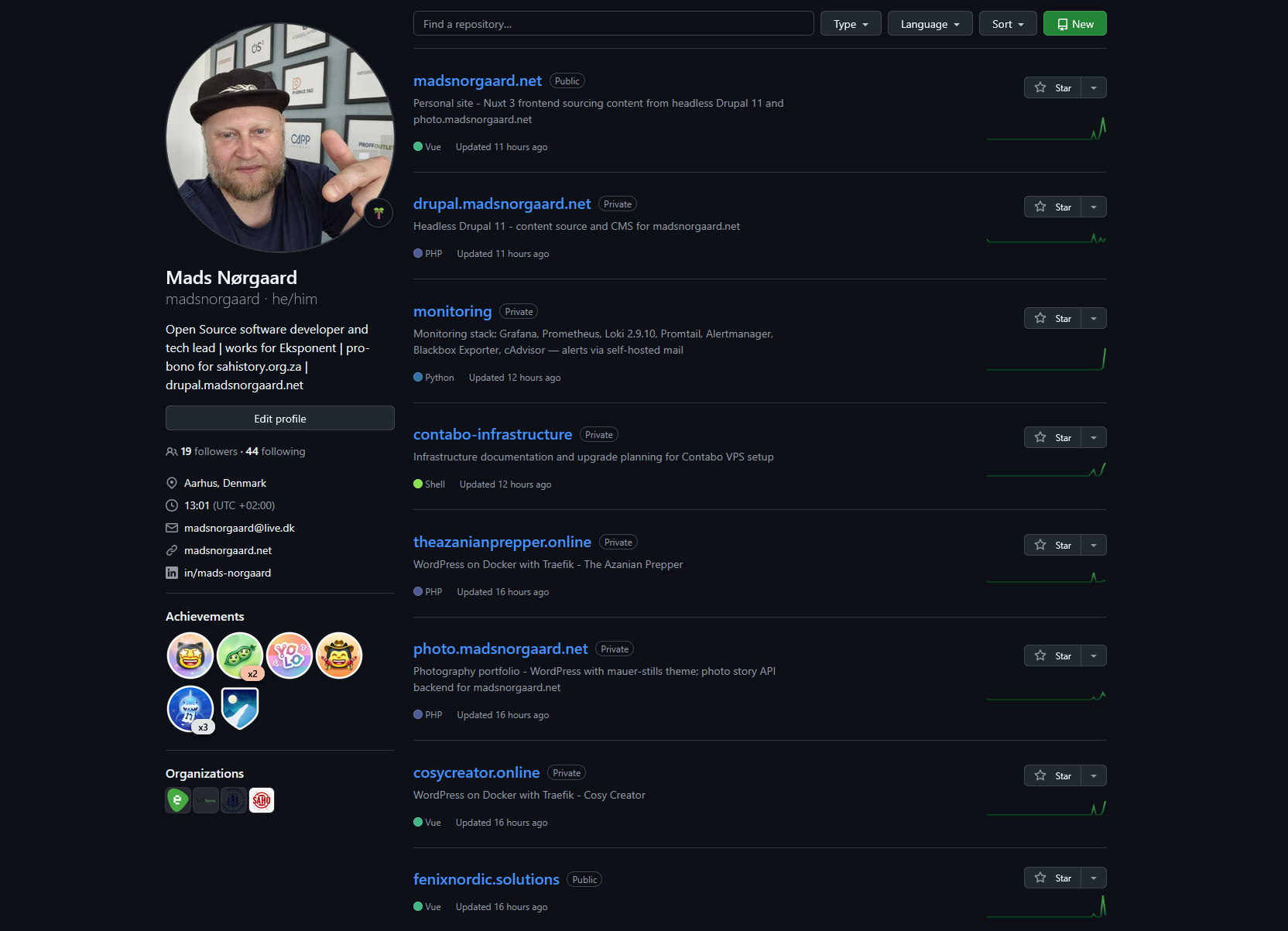
I run my entire digital life on two Contabo VPS servers in Germany. Personal site, photography portfolio, business site, email, password vault, analytics, monitoring - all of it. No AWS. No Vercel. No managed anything. Just Docker, Traefik, and a lot of evenings spent getting things right.
This is not a tutorial. This is a walkthrough of what I actually built, why I built it this way, and what I learned along the way.
The servers
Two VPS boxes at Contabo, both in Germany. That matters to me - European hosting, European jurisdiction, GDPR by default.
VPS1 is the jump server. It runs GitLab and a self-hosted GitHub Actions runner. Every deployment to production goes through this machine. It is the gatekeeper.
VPS2 is where everything lives. At last count, it runs north of 50 Docker containers across 13 distinct services. Traefik v3 sits at the front, handling routing, SSL termination, and automatic Let's Encrypt certificate renewal for every domain.
Both servers were recently upgraded from Ubuntu 20.04 to 22.04 - a process I documented across 12 sessions in the contabo-infrastructure repo. Ubuntu 20.04 had reached end of life, and running an EOL operating system under a stack this size was not something I was comfortable with.
The stack at a glance
Here is what runs on VPS2, broken down by service:
madsnorgaard.net - my personal site. A Nuxt 3 SSR frontend that pulls content from two separate headless CMS backends simultaneously. Writing, projects, CV, and about pages come from a headless Drupal 11 instance via JSON:API. Photography and stories come from photo.madsnorgaard.net via the WordPress REST API. One frontend, two content sources. IBM Plex Mono, dark terminal aesthetic.
drupal.madsnorgaard.net - headless Drupal 11. This is where I write articles, manage project pages, and maintain the content that feeds into the Nuxt frontend. It runs its own Docker stack with MySQL, Redis for caching, and Apache Solr for search. The site itself is built from the minimal install profile - no unnecessary modules, no bloat. Composer manages everything. GitHub Actions handles CI/CD with PHP CodeSniffer checking custom modules and themes on every push.
photo.madsnorgaard.net - the photography backend. WordPress 6.x running as a headless REST API for my documentary photography archive. Custom post types for photos, stories, and projects. Custom taxonomies for series and subjects. A security plugin that blocks XML-RPC, removes user enumeration endpoints, rate-limits the API, and adds security headers. The Nuxt frontend at madsnorgaard.net consumes this API alongside Drupal's JSON:API - that dual-source architecture is one of the things I am most pleased with in this whole setup.
fenixnordic.solutions - the marketing site for Fenix Nordic Solutions, the side agency Phoenix and I run together. Nuxt 3 static-generated, bilingual English and Danish, with a dark Nordic editorial design. Custom cursor with ember particles, magnetic button effects, scroll reveal animations. It started as a Drupal site but I rebuilt it as a pure Nuxt frontend. The old Drupal artefacts are still in the repo - a future cleanup task.
theazanianprepper.online - a WordPress site on Docker with Traefik.
cosycreator.online - a Payload CMS v2 project on Docker with Traefik.
Rocket.Chat - self-hosted team communication. Running MongoDB 6.0, upgraded March 2026.
Traefik v3 - the reverse proxy that ties it all together. Every service on VPS2 routes through Traefik. It handles SSL termination with automatic Let's Encrypt certificates, forces HTTPS on all traffic, and routes requests to the right container based on domain name. The dashboard is accessible internally via SSH tunnel - no public exposure. The configuration is public on GitHub. Adding a new service is a matter of Docker Compose labels - no nginx configs to edit, no manual certificate management.
Monitoring - Grafana, Prometheus, Loki, AlertManager, cAdvisor, Node Exporter, and Blackbox Exporter. Four provisioned dashboards covering site uptime, infrastructure metrics, logs, and Traefik request analytics. Blackbox Exporter probes eight sites for uptime and SSL certificate expiry. AlertManager routes critical alerts to email via Mailgun. And then there is the webhook bridge - a custom Python service that automatically creates GitHub issues when an alert fires and closes them when the alert resolves. That one took some debugging to get the deduplication right, but it means I never miss an infrastructure problem.
Mail - docker-mailserver 14 with Postfix, Dovecot, and Rspamd. Roundcube webmail at webmail.madsnorgaard.net. traefik-certs-dumper handles the TLS certificates. fail2ban protects against brute force attempts. I scored 10/10 on mail-tester.com with this setup - SPF, DKIM, DMARC, rDNS, all of it configured correctly. Self-hosted email that actually works and does not end up in spam folders.
Vaultwarden - a Bitwarden-compatible password vault. This one gets special treatment in the deployment pipeline. No auto-deploy. Manual approval required every time. Contabo snapshot mandatory before any change. When the service that stores every password you own goes down because of a bad deploy, you are locked out of everything. I treat it accordingly.
Plausible CE v2 - self-hosted analytics replacing Google Analytics across all my sites. Privacy-respecting, no cookies, no consent banners needed. The Grafana monitoring stack pulls data from Plausible via an Infinity datasource, so I can see analytics alongside infrastructure metrics in the same dashboard.
The deployment architecture
This is where it gets interesting. Every service deploys through the same pipeline, but the mechanism is not what you might expect.
Each service has its own GitHub repository. When I push to main, GitHub Actions runs CI checks - linting, CodeSniffer, Composer validation, whatever is relevant for that project. If the checks pass, the workflow fires a repository_dispatch event to the contabo-infrastructure repo.
The contabo-infrastructure repo has a self-hosted GitHub Actions runner on VPS1. When it receives the dispatch event, it checks out the source repo, rsyncs the relevant files to VPS2 via SSH, builds the Docker images on VPS2, and restarts the containers. VPS2 does not need GitHub SSH access - all files are pushed from the runner on VPS1.
The result: I push code, and a few minutes later it is live. No manual SSH. No FTP. No cowboy deployments. The contabo-infrastructure repo has seen 315 production deployments at the time of writing.
Critical services like Vaultwarden break this pattern deliberately. They require manual workflow triggers with reviewer approval. You do not auto-deploy your password vault.
The monitoring layer
I spent a lot of time on observability because running this many services without it is asking for trouble.
Prometheus scrapes metrics from every container via cAdvisor, from the host via Node Exporter, and from external endpoints via Blackbox Exporter. Loki aggregates logs from all containers via Promtail. Grafana displays everything across four provisioned dashboards.
The alert rules are straightforward: CPU warning at 85 percent for five minutes, critical at 95 percent for two minutes. Memory warning at 85 percent. Disk warning at 80 percent, critical at 90 percent. Container down if not seen for two minutes.
When an alert fires, AlertManager sends an email via Mailgun and the webhook bridge creates a GitHub issue in the contabo-infrastructure repo with all the alert details. When the alert resolves, the bridge comments on the issue and closes it. The entire incident lifecycle is tracked in GitHub Issues without me lifting a finger.
There is a caveat with cAdvisor - it is pinned to v0.47.2. The latest version causes roughly 12.8 percent constant CPU overhead, which on a VPS running this many containers is unacceptable. I update the version deliberately after testing, not automatically.
Loki recently completed the upgrade path from 1.6.1 all the way to 3.0.0 - stepping through 2.0.x and 2.9.x along the way, with verified Contabo snapshots at each stage. It was a careful process but the result is a modern log aggregation stack that I no longer have to worry about being left behind on.
Self-hosted email - the achievement I am most proud of
Getting email right is notoriously difficult. Getting it right on a self-hosted stack with perfect deliverability is the kind of challenge that makes most people give up and use a managed service.
The stack is docker-mailserver 14 - Postfix for SMTP, Dovecot for IMAP, Rspamd for spam filtering. Roundcube provides webmail. traefik-certs-dumper pulls TLS certificates from the Traefik ACME store so the mail server uses the same Let's Encrypt certificates as everything else. fail2ban watches for brute force attempts with custom jail configuration for Docker subnet awareness.
DNS records include SPF, DKIM (generated by the setup script), DMARC, MX, and a PTR record configured through Contabo's panel. Every piece has to be correct or your mail ends up in spam.
I ran the full suite through mail-tester.com and scored 10/10. That is SPF aligned, DKIM signed, DMARC enforced, reverse DNS matching, no blacklists, proper HELO hostname. The works.
Using mads@madsnorgaard.net as my primary email address, hosted on my own server, with full control over every aspect of the stack - that aligns with everything I believe about digital sovereignty.
Why self-host everything
I wrote previously about saying goodbye to PayPal and American service providers. This infrastructure is the practical expression of that conviction.
Every service I self-host is a service where I control the data, the configuration, the uptime, and the terms. Nobody can freeze my account. Nobody can change the pricing. Nobody can decide my data belongs to them for training purposes. Nobody can shut down the product and leave me scrambling for alternatives.
It costs time. Significantly more time than paying for managed services. The Ubuntu upgrade across both servers took 12 documented sessions. The mail server setup took a solid week of evenings. The monitoring stack has been an ongoing project for months.
But the trade-off is sovereignty. I know exactly what runs on my servers. I know exactly where my data lives. I can audit every line of configuration. And when something breaks - and things do break - I can fix it myself without waiting for a support ticket response from a company that may or may not care about my specific problem.
The numbers
Across VPS2: 13 distinct service stacks. North of 50 Docker containers. Eight sites monitored for uptime. Four Grafana dashboards provisioned from git. 315 production deployments via the contabo-infrastructure pipeline. 65 release tags on the madsnorgaard.net repo alone. 12 release tags on the drupal.madsnorgaard.net repo. 38 release tags on the fenixnordic.solutions repo. 10/10 mail-tester.com score.
All of it running on two VPS boxes in a German data centre. No cloud provider lock-in. No vendor dependencies I cannot replace. Open source by default.
What is next
There are things I want to improve. The fenixnordic.solutions repo still has old Drupal artefacts that should be cleaned out. I want to add more Plausible integration into the Grafana dashboards. The cAdvisor version pinning needs revisiting - newer releases may have resolved the CPU overhead issue that forced me to stay on v0.47.2.
And I keep thinking about documenting this whole setup more publicly. Not just the individual repos - several of those are already public - but the architecture as a whole. How the pieces connect. How the deployment pipeline works end to end. How monitoring feeds back into the development workflow via GitHub Issues.
Because the thing I hear most often when I share this work is: "I did not know you could do all that on two VPS boxes." You can. It takes time, patience, and a willingness to read documentation at midnight. But you absolutely can.
Self-hosted whenever I can. European where it makes sense. Open source by default.
Infrastructure repos: traefik · plausible · fenixnordic.solutions · madsnorgaard.net